 Routines
Help your kids take charge of their own routines with simple picture cards they tick off themselves. One shared schedule keeps the whole family on the same page, from breakfast to bedtime.
RoutinesHelp your kids take charge of their own routines with simple picture cards they tick off themselves. One shared schedule keeps the whole family on the same page, from breakfast to bedtime.
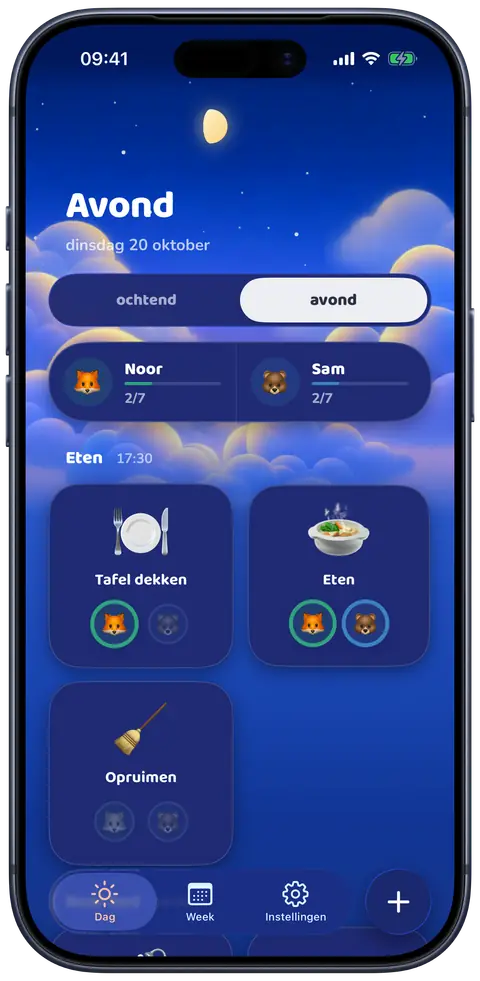
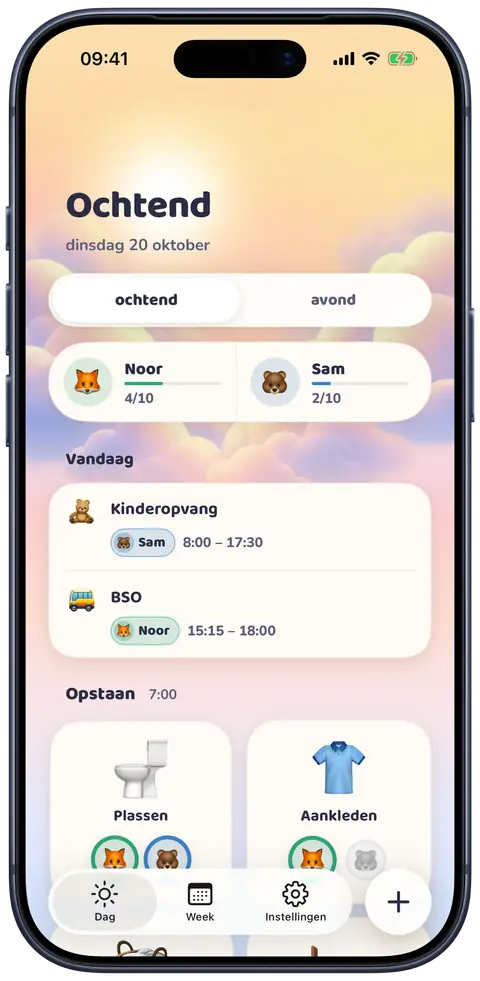
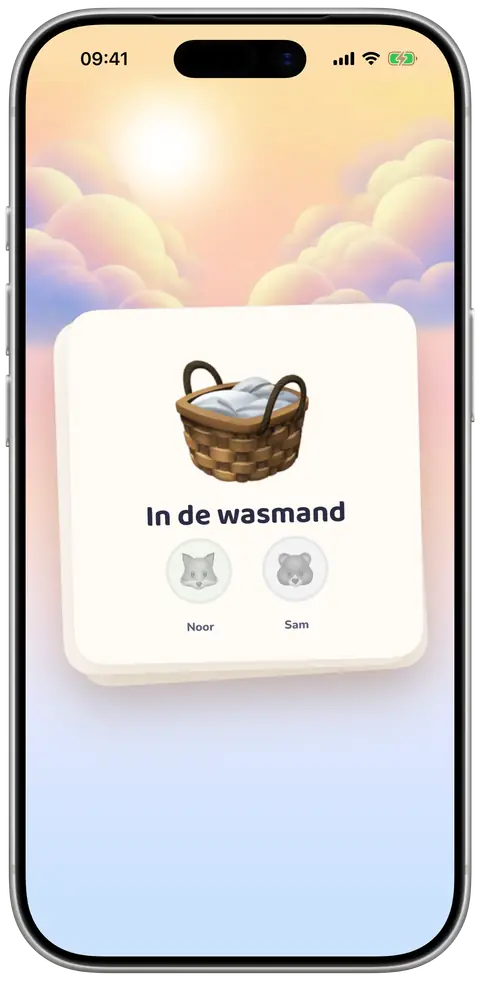
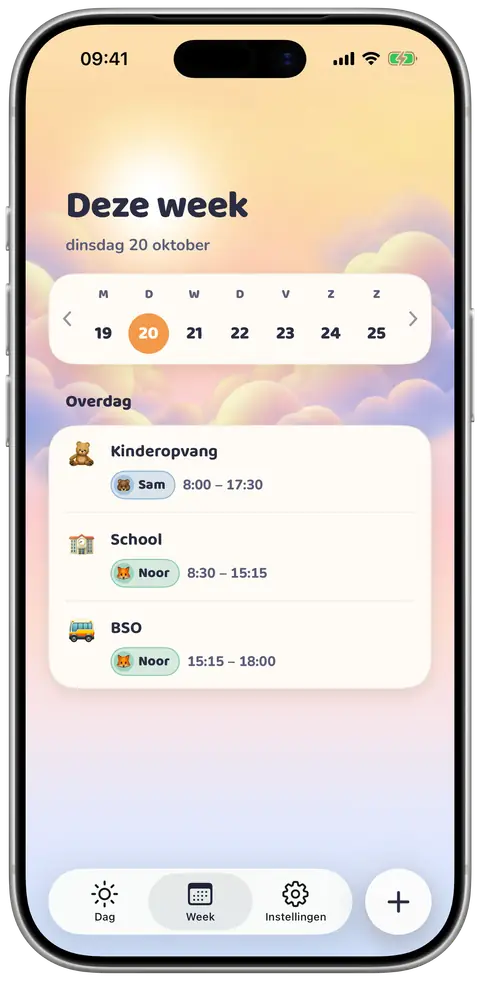
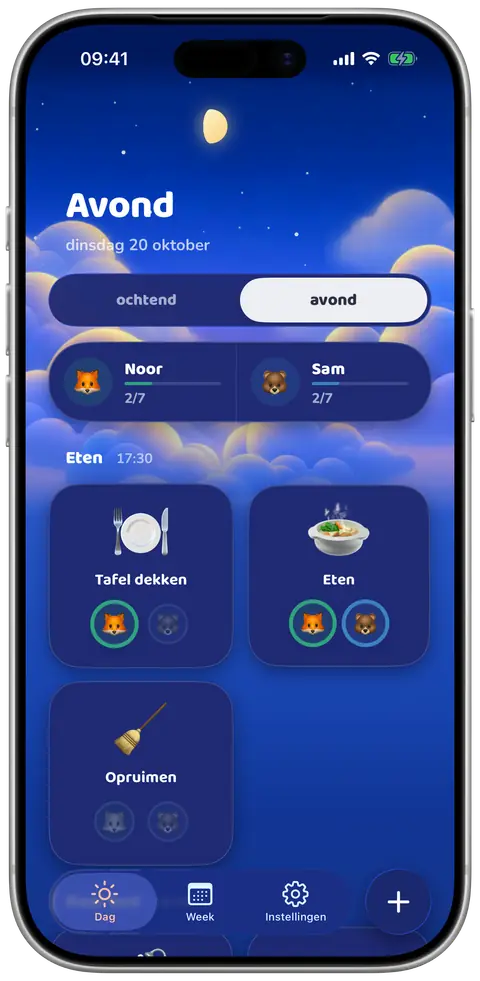
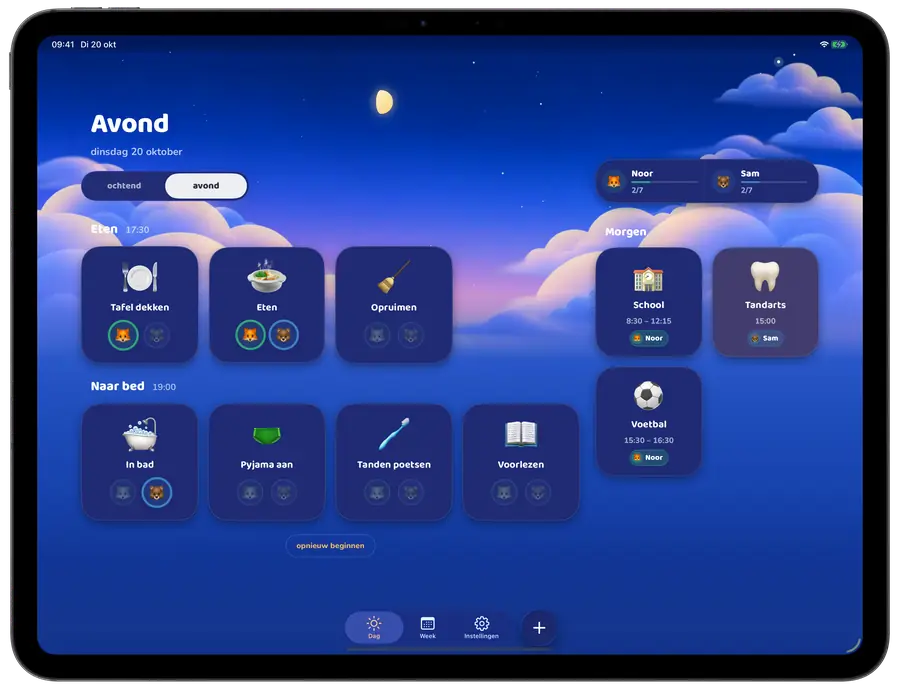
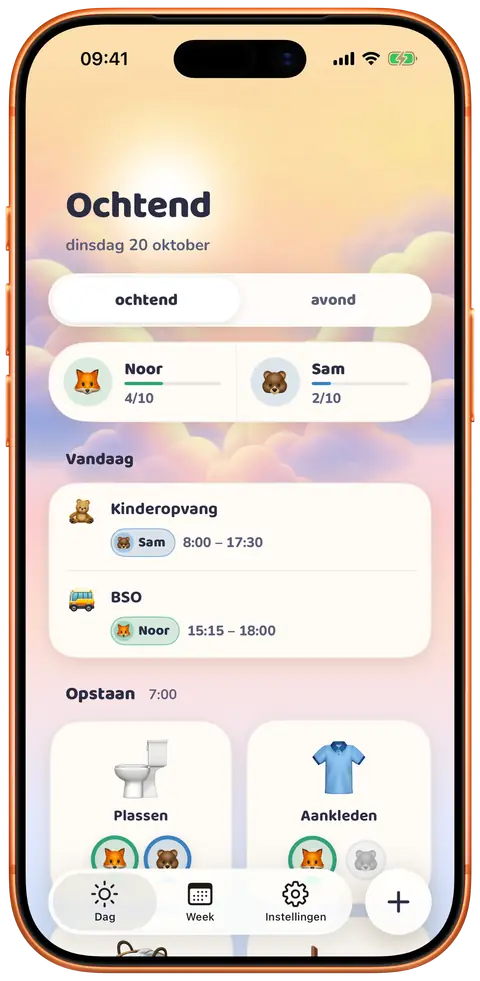
No endless reminders. Picture cards show your child what to do next, and they tick off each step themselves.
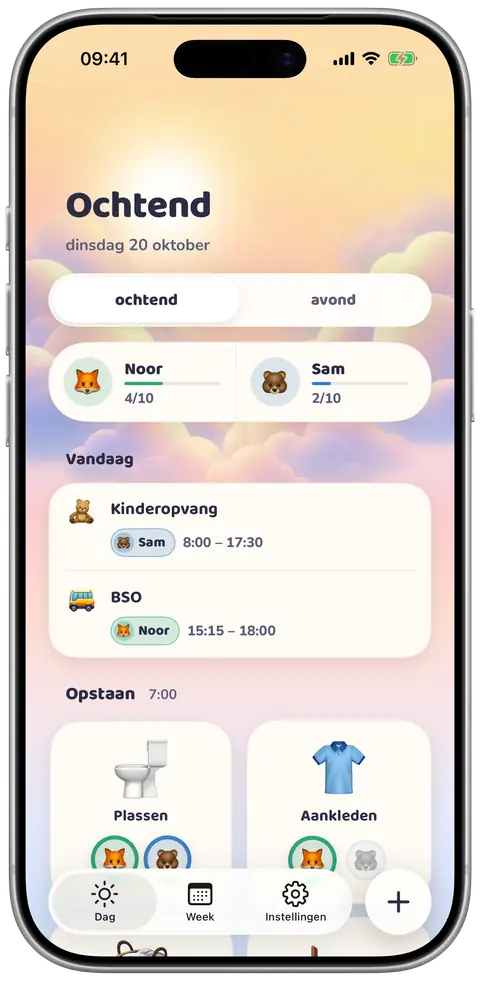
Parents and grandparents see the same schedule. A change shows up everywhere straight away.
Paste a message from school and let Routines suggest the dates and tasks that matter.
School, sports and special days in one place. Everyone knows what’s coming.
Add your children and the steps of your morning and evening: getting dressed, brushing teeth, packing the school bag.
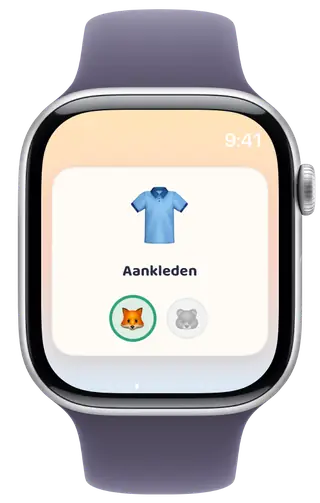
Hold up your phone or iPad. Each child sees the next picture card, taps their own icon to tick it off, and sees how far they are.
Ticks and plans show up on every phone in the house within a second. No more asking “did you brush your teeth?”
Routines is set up and run by parents. It only keeps what the app needs to work, and never sells your family’s data.
When you paste a message, its text and your children’s first names and ages are sent to Anthropic’s AI to make suggestions. That only happens when you use this feature, and Anthropic does not train on it. Read the privacy policy
Families with young children who are learning to follow their own morning and bedtime routines, and the parents, grandparents and caregivers who help them.
iPhone and iPad with iOS 26 or later, and Apple Watch. Every phone, iPad and watch in the household shows the same routines and ticks.
No. You show them your phone or iPad and they tap their own icon to tick off a step. Children don’t have accounts and never sign in; parents sign in with Apple or Google.
Yes. Invite anyone with a code that works once and expires after a week. Whoever started the household can remove members at any time.
Add your children, let each pick an icon and a colour, and fill in the steps of your morning and evening. You can change everything later in the app.
Almost. The beta starts soon. Sign up and we’ll email you as soon as it’s ready, with an invite to try Routines through TestFlight, Apple’s app for testing new apps. You get the full app, and your feedback is much appreciated. You’ll also hear when it’s in the App Store.
Routines is almost ready and the beta starts soon. Sign up and we’ll email you as soon as you can try it with your family, before it’s in the App Store.
Questions, bugs or feature ideas? Send an email and I’ll get back to you, usually within two working days.
routines@timnuman.comRoutines is developed and published by Tim Numan Holding B.V.
KvK 97001376